AI
Agentic
Agentic Strategy

Let me be honest: whenever I spot another new business tool out in the wild, it's always the same question nagging at the back of my mind-why do we always start with a spreadsheet? I’ve seen it time and again, whether someone’s launching a business, managing a project, or simply tracking stock in the back office. We instinctively reach for Excel or Google Sheets before wrestling with a shiny new platform.
Here’s what’s fascinating. Spreadsheets are small, flexible, and remarkably simple to understand. You can actually see your problem, play with it, move things around, and - importantly - you feel in control. As I often say, simplicity is power, especially when you’re facing ambiguity or the messiness of real work.
And this is not just my personal hunch. As Agnese put it, “One of the main reasons that Excel is still relevant today is its versatility. There are a few other tools that can be used in so many different ways.” (Agnese, Ajelix Blog, 2025)
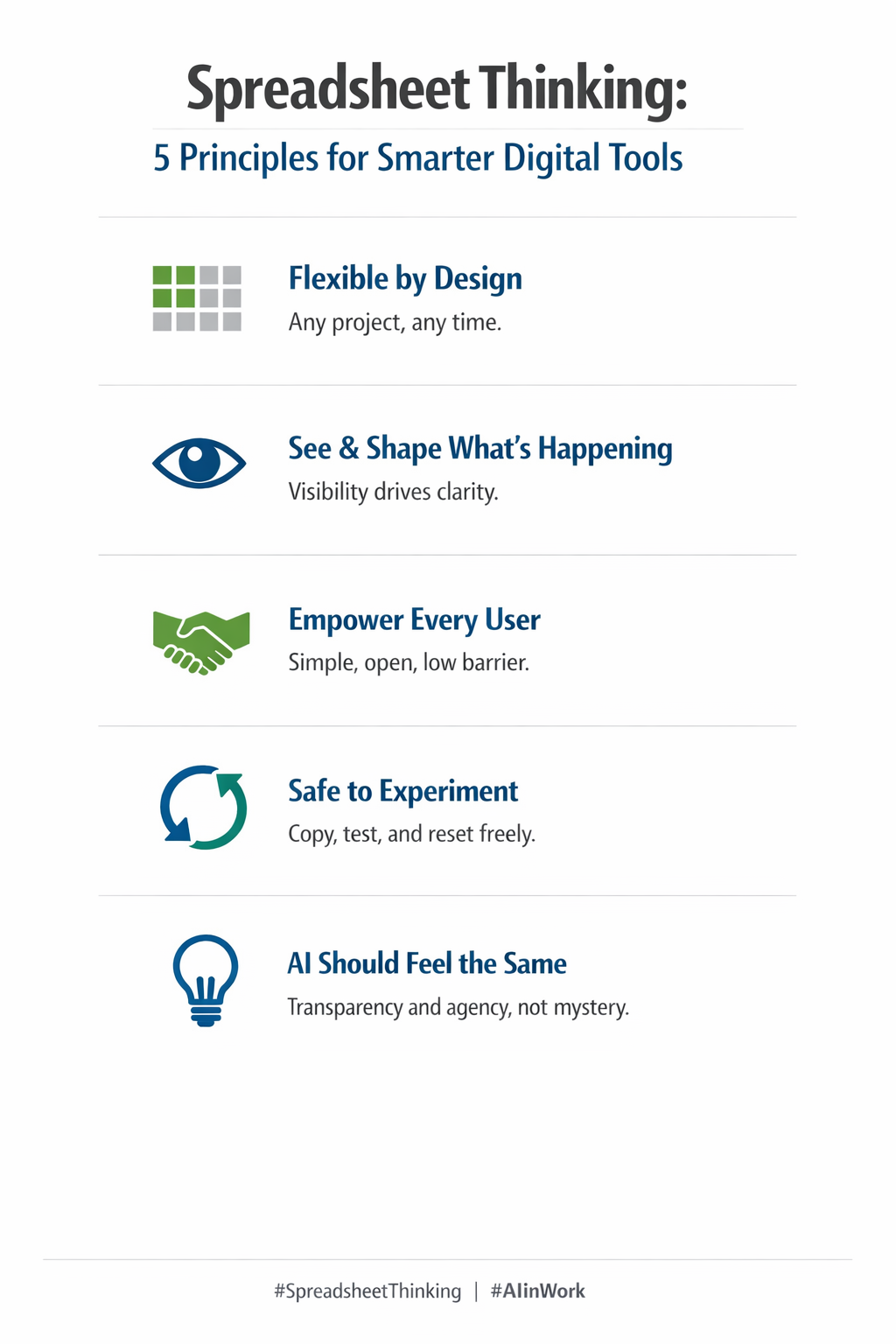
There’s something deeply human about making our work visible. When you tweak a cell, change a colour, or try out a formula, your ideas pop into view and you quickly see the impact. It's almost like a conversation between your brain and the screen.
Importantly, you’re not waiting on permissions or wrestling with hidden logic. Want to try something new? Make a copy. If a teammate disagrees, split off your own version. You get all the benefits of calculation and automation but on your own, highly tweakable terms.
This feeling-agency-is why, despite the smarter tools on offer, we revisit our spreadsheets at the inception stage of almost every new project or plan.
For those who want a deeper dive, “The Way We Interact with Spreadsheets Is Changing” explores how spreadsheets empower users as the original low-code tool, supporting flexible collaboration and visibility. Read the article.
Here’s the interesting leap: I see a genuine parallel between spreadsheets and the new wave of business-focused artificial intelligence. Spreadsheets started as niche tools - now, every field uses them. Why? Because you get to experiment on your terms, with no gatekeeping, and as much creativity as you fancy. Now, with AI, you can sit there, prod it, have a back-and-forth, and get a feel for how it thinks. It’s malleable, iterative, even magical.
Agnese nailed it again: “Excel’s widespread adoption makes it intuitive for most users, with minimal training required. User-Friendly Interface The layout is straightforward, with easy access to tools and features.” (Agnese, Ajelix Blog, 2025) That same straightforwardness is what we crave in AI tools, especially as they become more ingrained in daily work.
AI, done right, should give us that same sense of tinkering safely within bounds. If you’re curious about the wider connection between spreadsheet logic and AI-powered work, “The Rumors of Excel's Death Are Greatly Exaggerated: Reimagining Spreadsheets in the Age of AI” offers sharp insights on this very shift. Take a look here.
So, what’s the catch? In today’s world, there’s a growing gulf-user interfaces become mysterious and opaque, hiding all the interesting bits under the surface. Users shrug and accept it, but they shouldn’t have to. The businesses that thrive will be the ones lowering the bonnet, encouraging people to see how data moves, how decisions get made, and where their input matters.
This is where hybrid roles are born. Users need to get technically curious. Developers must step out from behind the code and see how business, culture, and practical day-to-day realities shape what’s useful. These tools should act as bridges-spaces where both sides cross and learn.
If you want more on how business users stay close to the action and why “PowerPoint and Excel Still Rule the Business World,” this piece gives practical examples of why tool flexibility and transparency always win. See the article here.
Looking ahead, the winning teams and organisations won’t be defined by job titles or technical prowess alone. Instead, there’ll be a spectrum: some will specialise in the ‘under the hood’ mechanics, others in design or user experience, and more and more people will act as shepherds, guiding these living systems and shaping them as things change.
Spreadsheets teach us: empower people, let them see what’s going on, encourage safe experimentation, and always leave space for creative approaches. AI and smart digital systems should aim for the same.
As Tiller once explained, “The benefits of using your own spreadsheet to track your investments include privacy, simplicity, and endless flexibility.” (Tiller Blog, 2024)
These are qualities every smart tool should aspire to.
If you’re curious how to translate these lessons into digital products, I recommend “Lessons from Spreadsheets for Product Design” for a practical framework. Read it here.